License code
Unetwork operator guide
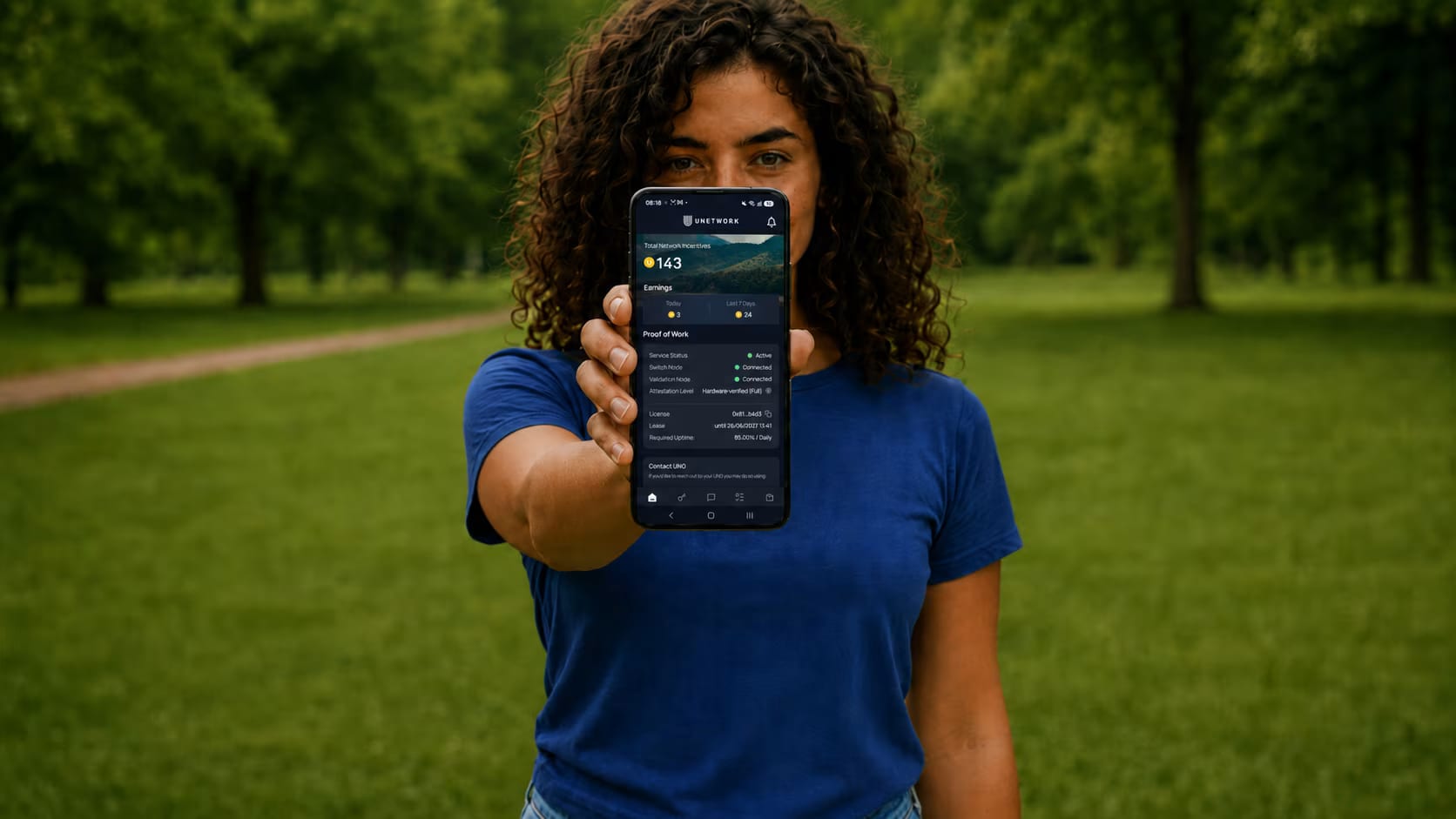
Get rewarded by connecting your phone to Unetwork
Help test mobile networks with your phone. Eligible tasks can run in the background or ask for your participation; rewards are confirmed in the app.
Your Unetwork License
Get your Unetwork App license code.
Get the best split available. Copy it into the Unetwork App to activate your license.
No payment is required to participate.
- 1
Install
Download the Unetwork App.
- 2
Claim
Get the best available license code.
- 3
Connect
Keep the app online for eligible tasks.
Live reward split
Available Now--%
To you
--%
To node operator
YouNode operator
Checking the best available split.
The displayed term is how long the license will work. Minimum uptime is the target for keeping the app online.
Preparing the security check for license codes.
What Unetwork does
Your phone can help test mobile networks.
Unetwork uses your phone to run telecom checks, helping service providers measure how their networks perform.
- 01
Automated checks
Your phone runs network tests and contributes valuable data to the network.
- 02
Verify international calling routes
Optional tasks to verify telecom routes function correctly across operators require taking small actions in the app.
- 03
Confirm data integrity
Caller ID and SMS checks help confirm that network data matches what was sent.
Why it exists
Why Unetwork exists
Telecom teams need real-world proof of how calls, texts, coverage, and connections behave on everyday phones.
- 01
Real-world data
Service providers need real-world network data.
Network teams have limited visibility into what real phones experience at the edge.
- 02
Phone-based checks
Unetwork collects data at the edge
Connected devices can test coverage, connectivity, international calling routes, SMS delivery, and Caller ID from real locations.
- 03
Revenue share
Participants can earn from the data they provide.
When verified task data creates value for the network, participants can receive a share of the network revenue tied to completed work.
Setup
How to get started
- 1
Download Unetwork App
Available on Android and iPhone.
Download Unetwork - 2
Set up your license
Get a license and activate it in the app.
- 3
Earn
Contribute valuable data, participate in tasks, and earn rewards.
Tasks
Tasks you can run
Tasks depend on device, region, connection type, app status, and client demand for the data. You choose which tasks to enable.
- 01
Research
Survey TasksShare your perspective in short studies when a Survey matches your location and profile.
- 02
Network signals
Extended TelemetryOpt in to contribute real-world network measurements from an eligible device.
- 03
- 04
- 05
Connection
Scout and RunnerDiscover or verify calling routes through Connectivity Verification in the app.
- 06
Research
ScoutQuest
Researches prepaid international call plans and submits source-backed details for review.
- 07
Reward factors
Reward levels depend on the value of the data.
Rewards can vary based on how useful the data is to clients, where it is collected, how reliable the device is, and whether the work is successfully validated.
- 01
Client demand
Data that clients need in a specific market or task type can carry more reward potential.
- 02
Location and carrier
Country, city, and mobile network carrier influence how useful the data is.
- 03
Device quality
Different phone brands and device types can produce data of different value.
- 04
Uptime and permissions
The phone needs to stay available to the network to maximise the chance of receiving tasks.
- 05
Connection type
Your operator and whether you use mobile data or Wi-Fi can affect task value.
- 06
Successful validation
Completed work must pass Unetwork validation before rewards are confirmed.
Earning potential
How much can you earn with Unetwork?
Rewards rise when your phone provides data that clients need and the work passes validation. Task demand, location, carrier, connection type, device quality, and validation all influence what completed work can be worth.
Your data has value
Unique, reliable data can earn more.
Keep your device connected and the app ready. The more useful the data is to clients, the stronger the reward potential.
Extended Telemetry
Variable rewards
There is no fixed daily amount. Eligibility, demand, uptime, connection quality, and validation affect approved rewards.
Scout and Runner
Scout reports · Runner minutes
Scouts earn for accepted reports and qualifying route discoveries. Runners receive 70% of the displayed per-minute reward for verified minutes.
CLI Testing
0.05–0.2 UP per approved report
Receive a test call and report the caller ID shown.
SMS Testing
Variable rewards
Validated reports may earn UP when matching work is available.
Entropy
TBC
Active now; reward amounts and settlement timing are still being finalised.
Payout options
Withdraw rewards to crypto, PayPal or your bank
UPs are reward credits. 1 UP = 1 USD. Choose a crypto wallet, PayPal, or bank transfer for eligible rewards.
- Identity verification (KYC) is required for every withdrawal method.
- A downloadable invoice is available for every payout.
How it works
- 1
Check your available rewards
Open the portal and confirm the UP balance available for withdrawal.
- 2
Choose a payout method
Choose Crypto wallet, PayPal, or Bank account. Identity verification (KYC) is required for every withdrawal route.
- 3
Review and submit
Check the amount, limits, fees, currency, and destination before submitting. A downloadable invoice is available for every payout.
Crypto wallet
Send to a supported wallet
- Balance needed
- 5 UPs
- Maximum withdrawal
- 150 UPs
- How long it takes
- Instant
- Destination
- Supported wallet
PayPal
Receive through PayPal
- Balance needed
- No minimum
- Maximum withdrawal
- No maximum
- How long it takes
- A couple of days
- Destination
- PayPal account
Bank account
Receive a bank transfer
- Balance needed
- 200 UPs
- Maximum withdrawal
- 1,000 UPs
- How long it takes
- Up to 14 days
- Destination
- Bank account
Three layers. One ecosystem.
Unetwork is built by telecom companies
Unetwork starts with verified activity from real phones. Minutes Network routes and validates the work, while World Mobile Chain supports traceability and settlement records.
- 01
Unetwork
Real devices collect network data.
- 02
Minutes Network
Backend operations route and validate network activity.
- Switch Nodes route traffic and tests.
- Validator Nodes check availability, operability, and latency.
- 03World Mobile Chain
Verification results can be recorded as cryptographic hashes on World Mobile Chain, creating a traceable record of completed network activity.
- It supports auditability and settlement records; it does not run phone checks or create the mobile connection.
Glossary
Key Unetwork terms
Simple explanations of the terms you’ll see during setup, activation, and while using the Unetwork app.
- Unetwork
- A people-powered telecom verification network that uses real devices to collect technical network data.
- License code
- The code used to activate one device in the Unetwork app.
- ULO
- Unetwork License Operator: the person operating an active license on a device.
- UNO
- Unetwork Node Operator: an operator who owns a node and leases associated licenses to ULOs.
FAQ
Answers before you activate.
Quick answers for first-time operators before claiming and using a license code.
01How do I get a Unetwork license code?
Tap Get Best License Code, complete the security check, then copy the code into the Unetwork App.
02Does the code cost anything?
No. Getting a license code from this page does not require payment.
03How do rewards work?
Each license has its own ULO and UNO split. Earnings vary by task demand, uptime, location, connection quality, validation, and the license split.
04What should I do after claiming a code?
Paste the license code into the Unetwork App, enable eligible tasks, and keep your device online so checks can run.
05What data does the app collect?
The app uses technical data needed to verify network activity, such as connection quality and device or network performance signals. Review the app permissions and Unetwork's current privacy and task information before activating.
06What if my code does not load?
Keep the support request ID if one appears, then retry after any cooldown or ask in the Unetwork Operators Telegram group.
Community help
Talk with other Unetwork operators.
Join Telegram, Facebook, or Reddit to ask questions, share setup tips, follow updates, and discuss Unetwork with other ULOs.
Telegram
Chat on Telegram.
Ask questions, follow updates, and share Unetwork help, guides, and setup tips.
Find other ULOs on Facebook.
Discuss Unetwork with other operators and share questions, guides, updates, and help.
Join the Unetwork Operators Reddit.
Share questions, updates, guides, and day-to-day Unetwork discussion with the subreddit.